Sell gift cards with Cardsafe.
Download the official Cardsafe app, sign in to review current rates, and trade from the platform that works for you.
The recommended action adapts to your device. Every official platform remains available below.
Official platforms
Use Cardsafe on the platform you prefer.
The recommended option follows your device, while every official install and browser path stays visible.
App Store
The official Cardsafe app for iPhone and iPad, installed and updated by Apple.
Download →Google Play
The standard Android install with updates handled through Google Play.
Download →Web App
Use Cardsafe in a modern browser without installing another app.
Open now →Android APK
A direct package for Android users who cannot install from Google Play.
Download →How it works
Trade your gift cards in three clear steps.
Choose your card
Select the gift card, country, format, and amount that match what you have.
Submit the details
Review the live estimate, open Cardsafe, and submit the requested card information.
Follow the transaction
Track the review and payout status from your Cardsafe transaction history.
Authenticated rates
Rates are available after you sign in.
The public website no longer calls the protected rate service. Open Cardsafe to review card-specific rates before you submit a trade.
Sign in first
Rates are served from the authenticated Cardsafe product, not from the public website.
Choose card details
Select the card type, country, format, and amount that match what you have.
Confirm before submission
Review the rate shown in Cardsafe before sending card details for review.
App experience
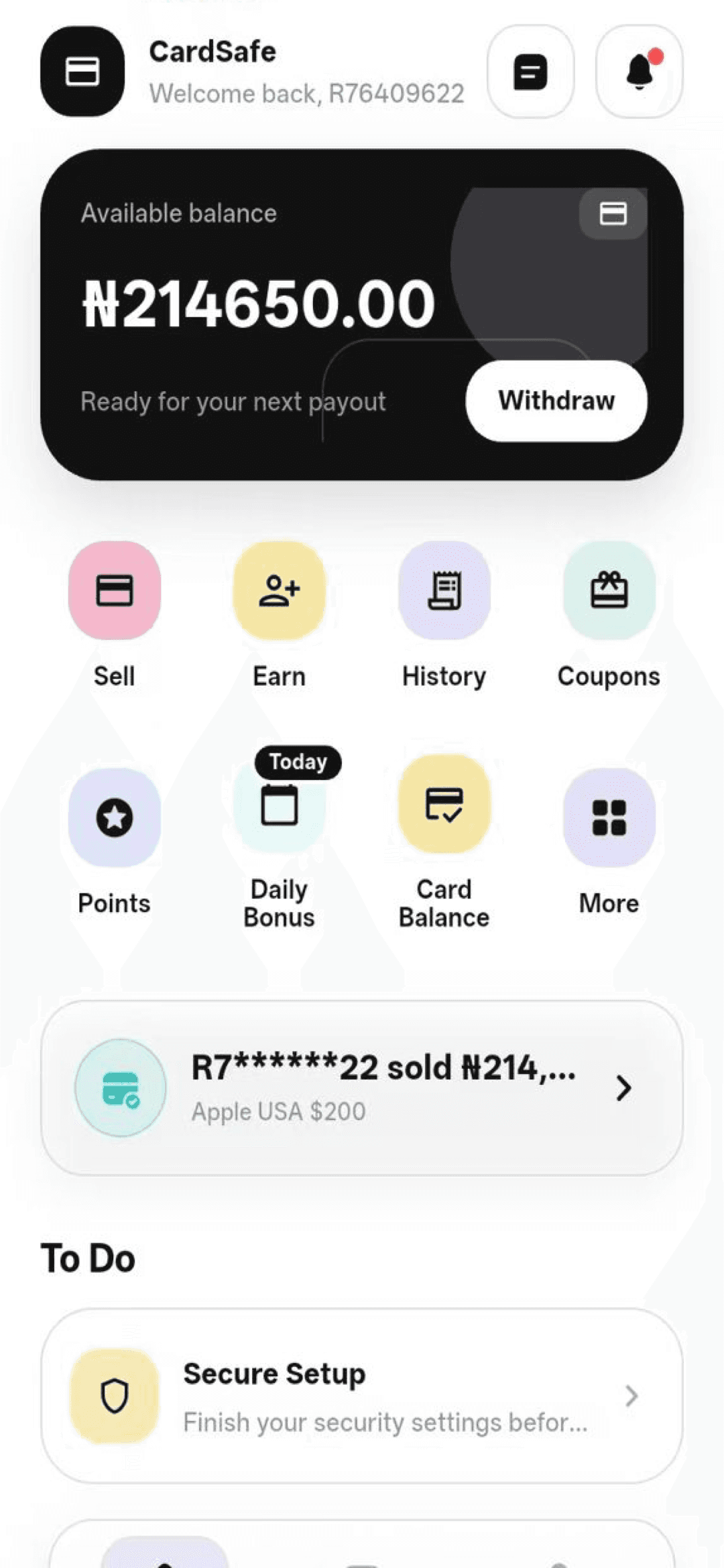
Your rates, supported brands, and status in one place.
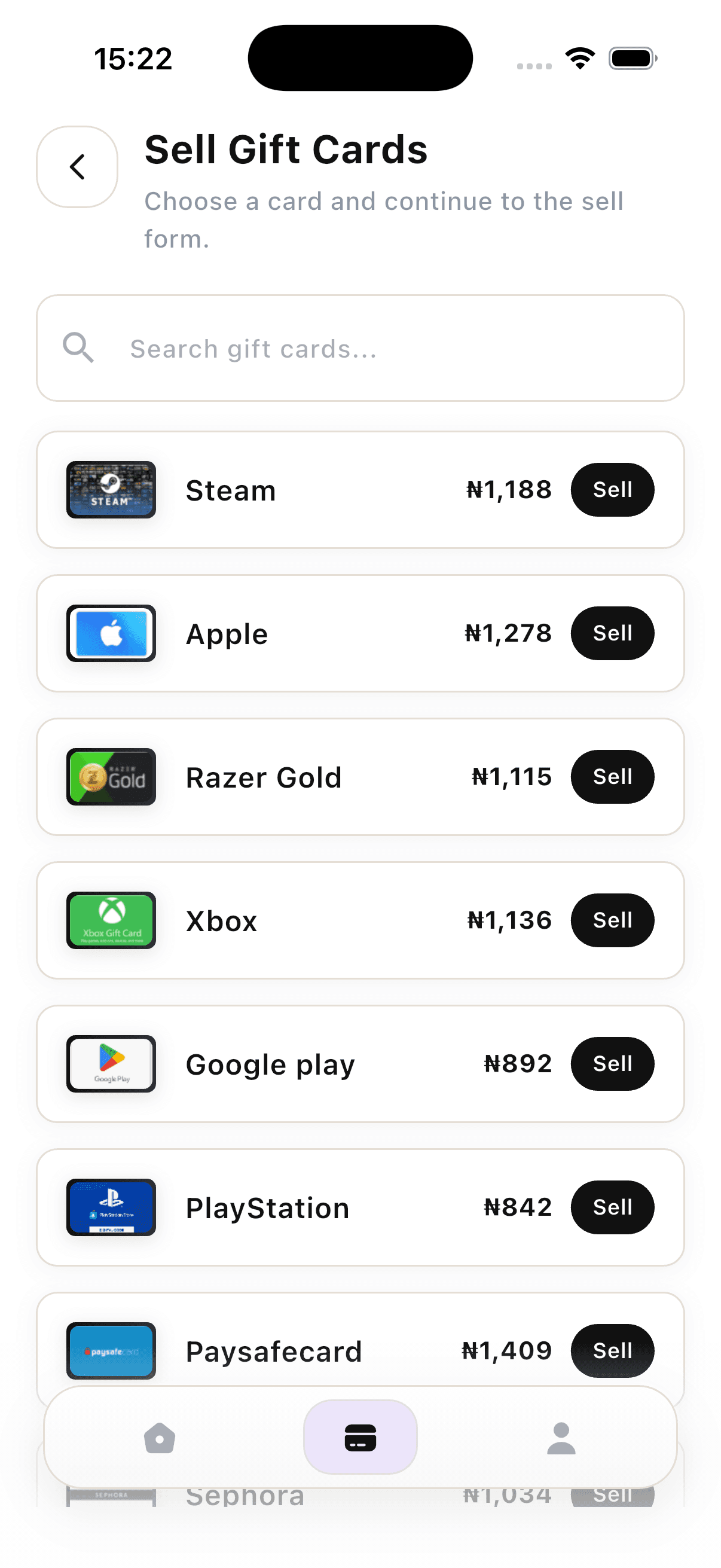
The mobile experience shows the brands Cardsafe supports, then keeps rates, transactions, and account status in the same product flow.
- Brand entries shown in Cardsafe before you sell
- Authenticated rate review before submission
- Transaction history and payout status
Visible examples include Steam, Apple, Razer Gold, Xbox, Google Play, PlayStation, Paysafecard, and Sephora.
Account, history, and payout status
Supported brand list before selling
Clear by design
Know where to download, review, and get help.
Official download paths
Every install option is published from the Cardsafe website and can be updated centrally.
Rates after sign-in
Cardsafe shows card-specific rates inside the authenticated app or web app before you submit.
Transaction status
The app keeps submitted trades and their current status available in one place.
Support access
Contact and help routes remain available from the website and product experience.
Resources
Helpful guides for trading with more context.
Getting Started · 3 min read
How Cardsafe Works
A practical overview of the Cardsafe flow: download the app, sign in, review supported gift cards, submit a trade, and follow the transaction status.
Safety · 3 min read
How to Sell Gift Cards Safely
Safety checks to complete before submitting a gift card through Cardsafe or any official trading workflow.
Product Guide · 3 min read
Supported Gift Card Brands in Cardsafe
Learn how Cardsafe presents supported gift card brands and why users should confirm availability inside the app before submitting a trade.
FAQ
Answers before you install.
Use the Help Center if you need account-specific support.
How do I install the Cardsafe app?+
Choose App Store on iPhone or Google Play on Android. You can also use the web app without installing anything.
Is the Cardsafe APK safe to install?+
Only use the APK linked from cardsafe.app. Prefer Google Play when it is available, and do not install packages sent by unknown contacts.
Can I check rates on the public website?+
Current rates are shown after you open Cardsafe and sign in. The public website explains where to access rates but does not load the protected rate service.
What happens after I submit a card?+
Cardsafe reviews the submitted details. You can follow the transaction status and available payout information from your account.
Download Cardsafe.
Choose the official install for your device, or continue directly in the browser.